Basic Alerts: Quick Start & Concepts
This page introduces the basic alert engine, its types, and visual examples to help you monitor and respond to key events in your system.
Quick Start
To set up a basic alert:
- Choose an alert type below.
- Review the visual example in the corresponding tab.
- Configure the alert in your system as shown.
Basic Alert Types
The basic alert engine supports the following alert types:
replycode: Triggers on specific SIP reply codes or error responses. See Events Reference for details.reglost: Detects when a registration is lost or fails. See Events Reference for details.castatus: Detects when a Call Agent becomes unreachable or partially available, based on its most recent status reported by each SBC node.
Use these alert types for essential, fast monitoring. For advanced scenarios, see the Advanced Alerts page.
Visual Overview
- Reply Code Alert
- Registration Lost Alert
- Call Agent Status Alert
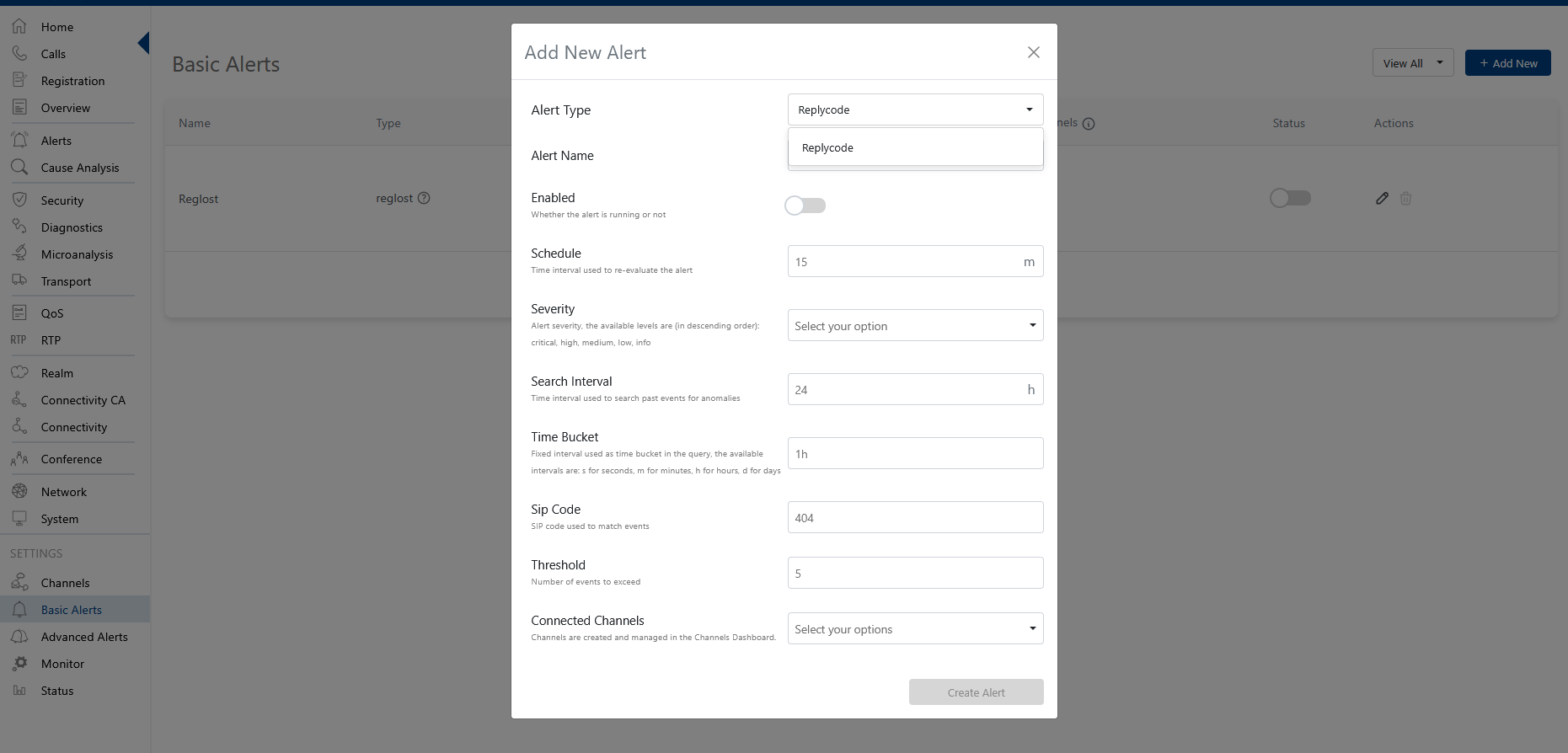
The replycode alert type monitors for specific SIP reply codes, such as errors or call failures. Use this to detect and respond to communication issues in real time.
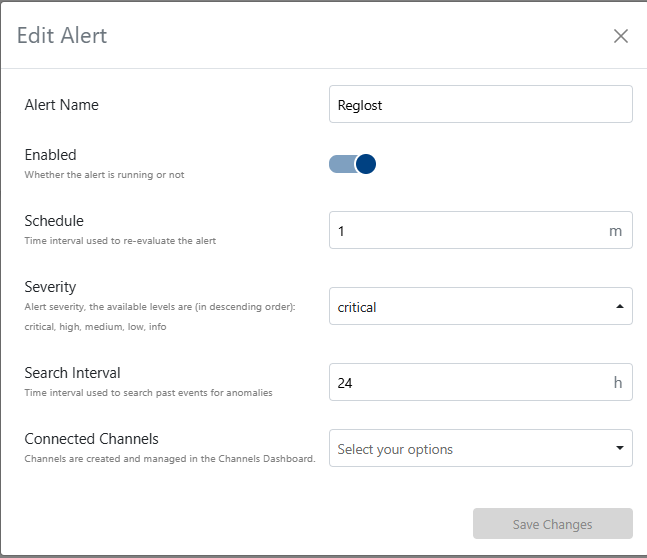
The reglost alert type detects when a registration is lost, which may indicate connectivity or authentication problems. Immediate attention is recommended.
This alert type is essential for system reliability and cannot be removed.
The castatus alert type triggers when a Call Agent's most recent status is Unreachable, DnsError, Error, PartiallyAvailable or Overloaded. The notification lists the Call Agent destinations that are not reachable. It is evaluated per Call Agent and SBC node, with at most one notification every 15 minutes for the same Call Agent.
Each run checks at most 50 Call Agent / SBC node pairs: the 50 with the most status events in the search interval. When more pairs report a status, the others are not checked, and the notification ends with a note saying so.
This alert type is essential for system reliability and cannot be removed.
Execution Logs
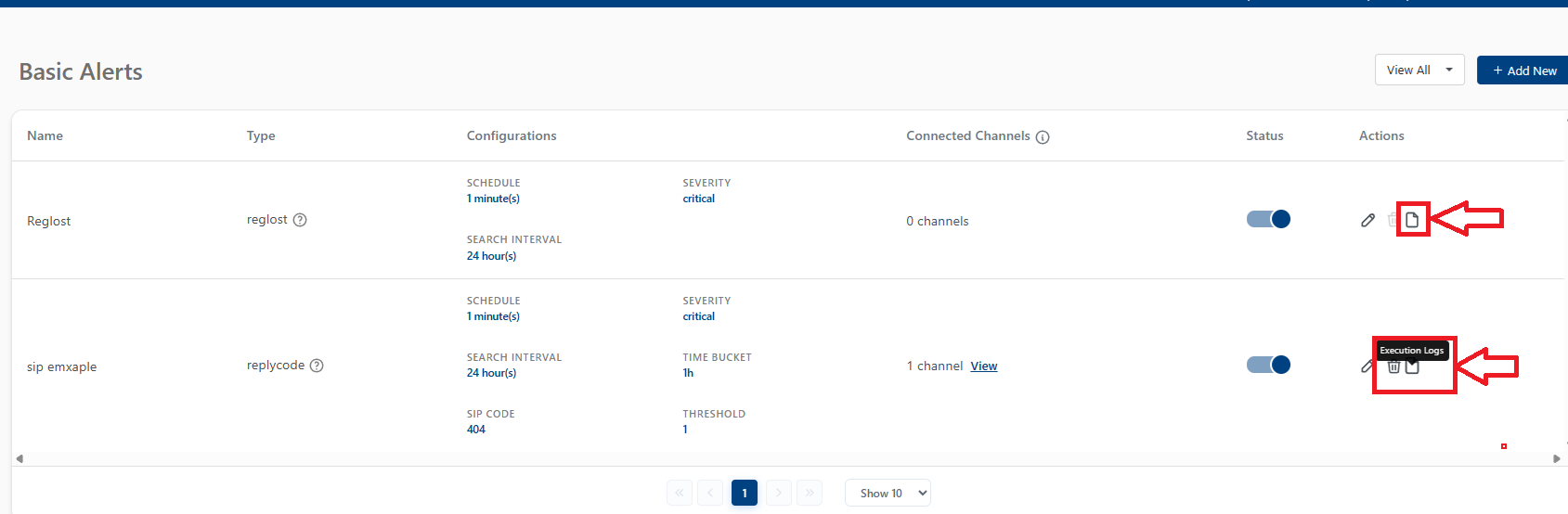
When a basic alert is triggered, execution logs are generated to provide insights into the alert's context and details. These logs can be accessed in the system's logging interface.
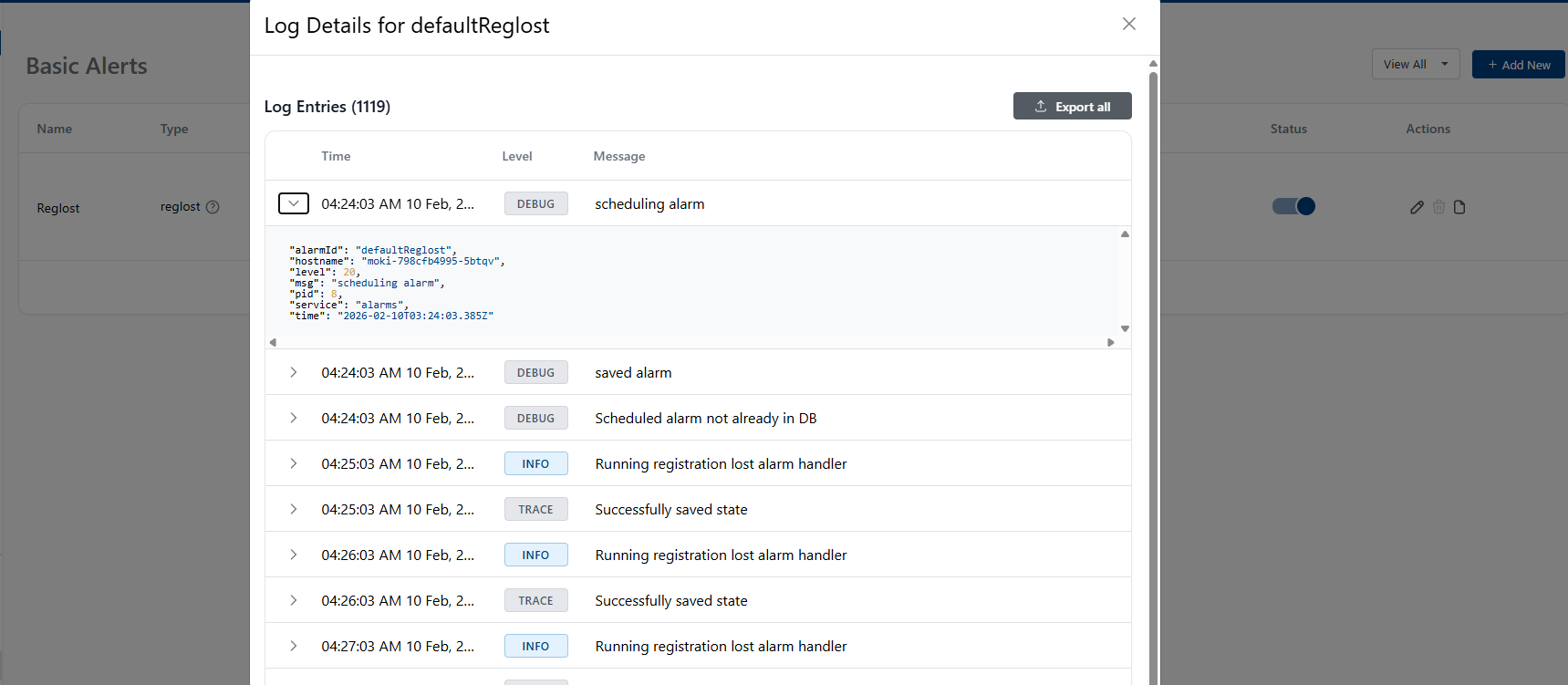
When you click on the action it self a detailed view of the execution log is presented, showing more in-depth information about the alert event.
Combine basic alerts with advanced alerting features for comprehensive monitoring and faster incident response.