Ingestion
Overall, the Ingestion tab in the FRAFOS Monitor provides a the configure system settings and monitoring.
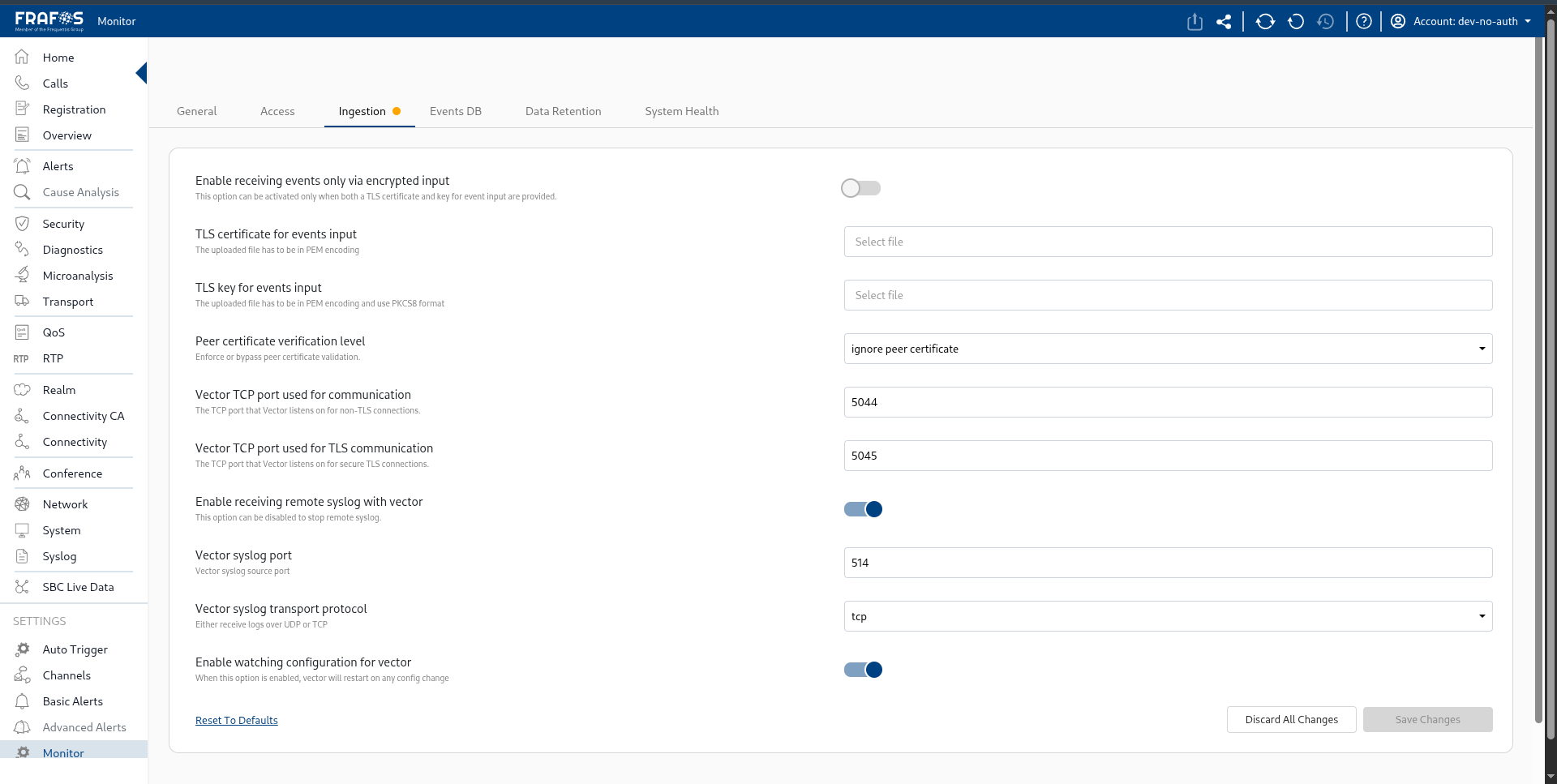
| Label | Description |
|---|---|
| Enable receiving events only via encrypted input | This option allows the system to only receive events through encrypted input, ensuring that all data is protected. This option requires both public and private keys to be present. |
| TLS certificate for events input | The uploaded file has to be in PEM encoding. Allowed extensions pem and crt |
| TLS key for events input | The uploaded file has to be in PEM encoding and use PKCS8 format. Allowed extensions pem, key and crt |
| Peer certificate verification level | This option allows the system to verify the peer certificate before accepting events, ensuring that only trusted sources can send events. Allowed options: ignore peer certificate, verify peer certificate |
| CA cert to check for TLS events input | This option is required when you have Peer certificate verification level is set to verify peer certificate |
| Vector TCP port used for communication | The TCP port that Vector listens on for non-TLS connections. Default is 5044 |
| Vector TCP port used for TLS communication | The TCP port that Vector listens on for secure TLS connections. Default is 5045. for consistency add the 2 ports to container's ports map |
| Enable receiving remote syslog with vector | This option can be disabled to stop remote syslog. |
| Vector syslog port | By default it's 514 |
| Vector syslog transport protocol | Either receive logs over UDP or TCP. Default is udp |
| Enable watching configuration for vector | When this option is enabled, vector will restart on any config change |