System Health
Periodic Job Management
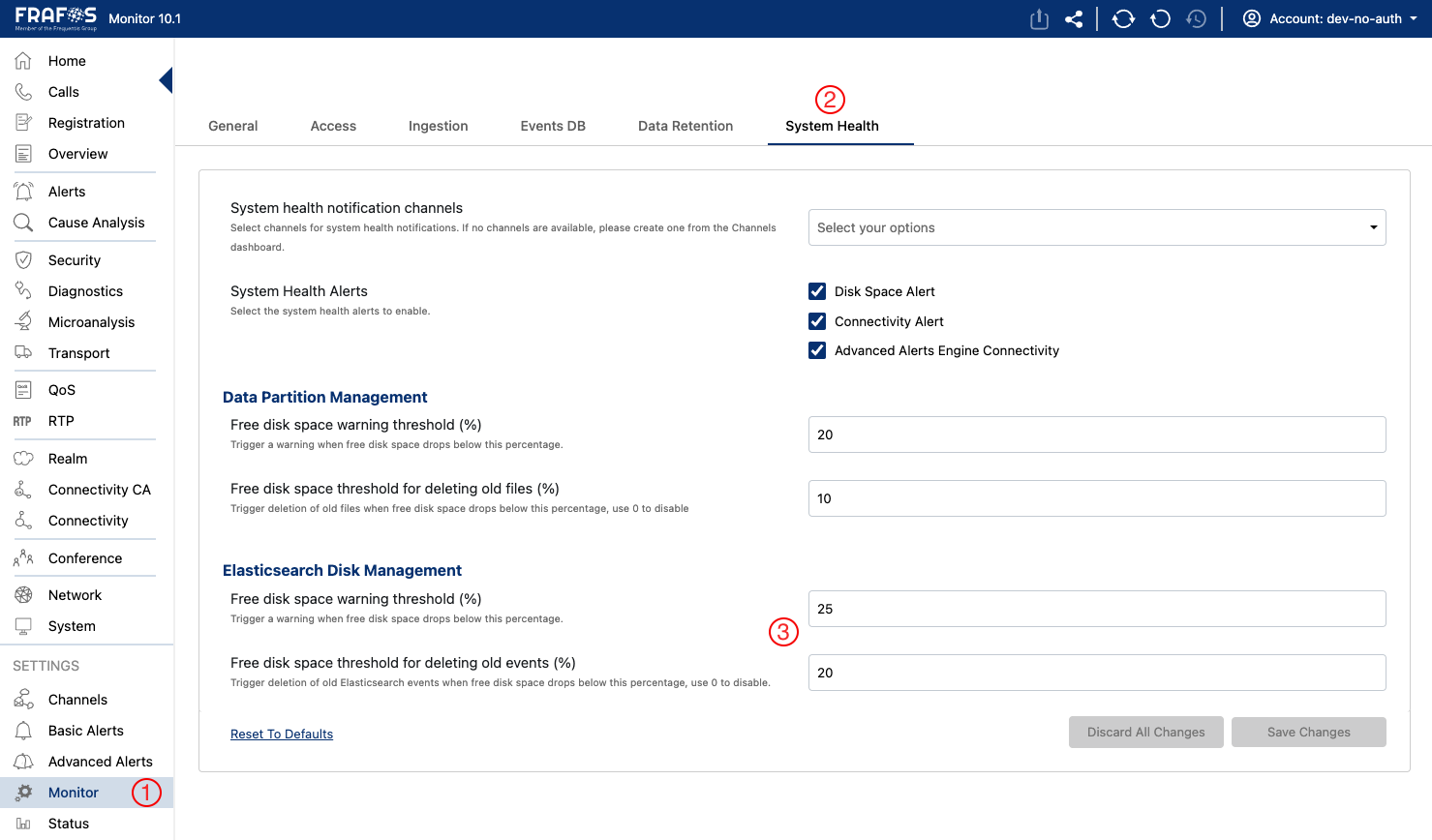
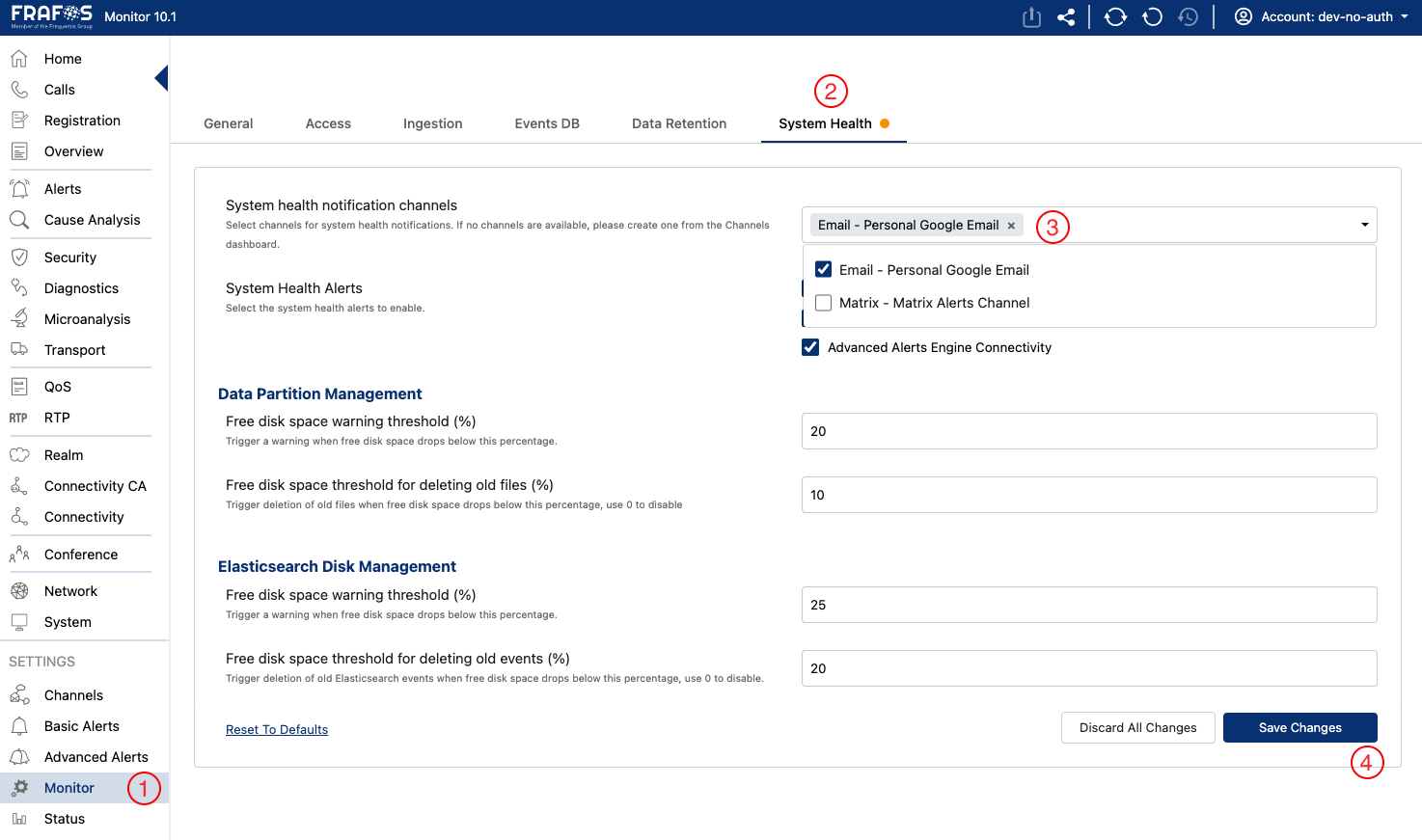
Select health notifications channels
- Go to Settings > Monitor Jobs
- Click on System Health tab
- From dropdown, select desired channels.
- Save changes.
to add new channel see channels page
Configuring System Health Checks
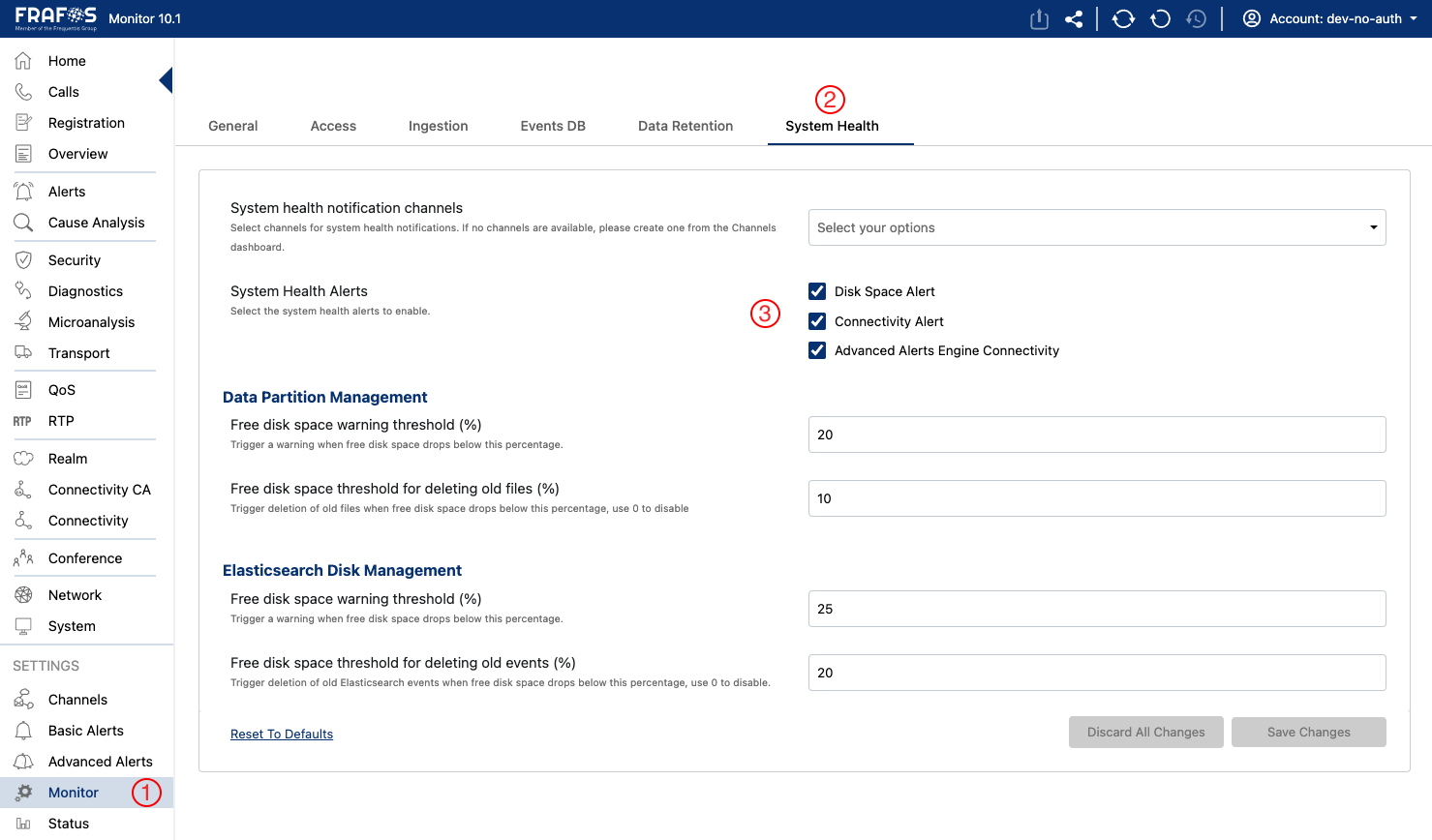
By default, we enable basic system health checks (disk space and connectivity). Additional checks can be enabled based on your configuration:
- Disk Space Alert: Always recommended - monitors disk usage
- Connectivity Alert: Always recommended - checks Logstash/Elasticsearch connectivity
- Advanced Alerts Engine Connectivity: Disabled by default, enable this when you have Advanced Alerts enabled and configured and want to receive alerts about Advanced Alerts connectivity status.
How to Configure System Health Alerts
- Go to Monitor > System Health tab
- Under "System Health Alerts", check/uncheck the alerts you want to enable
- Click Save to apply changes
Data Partition Disk Management
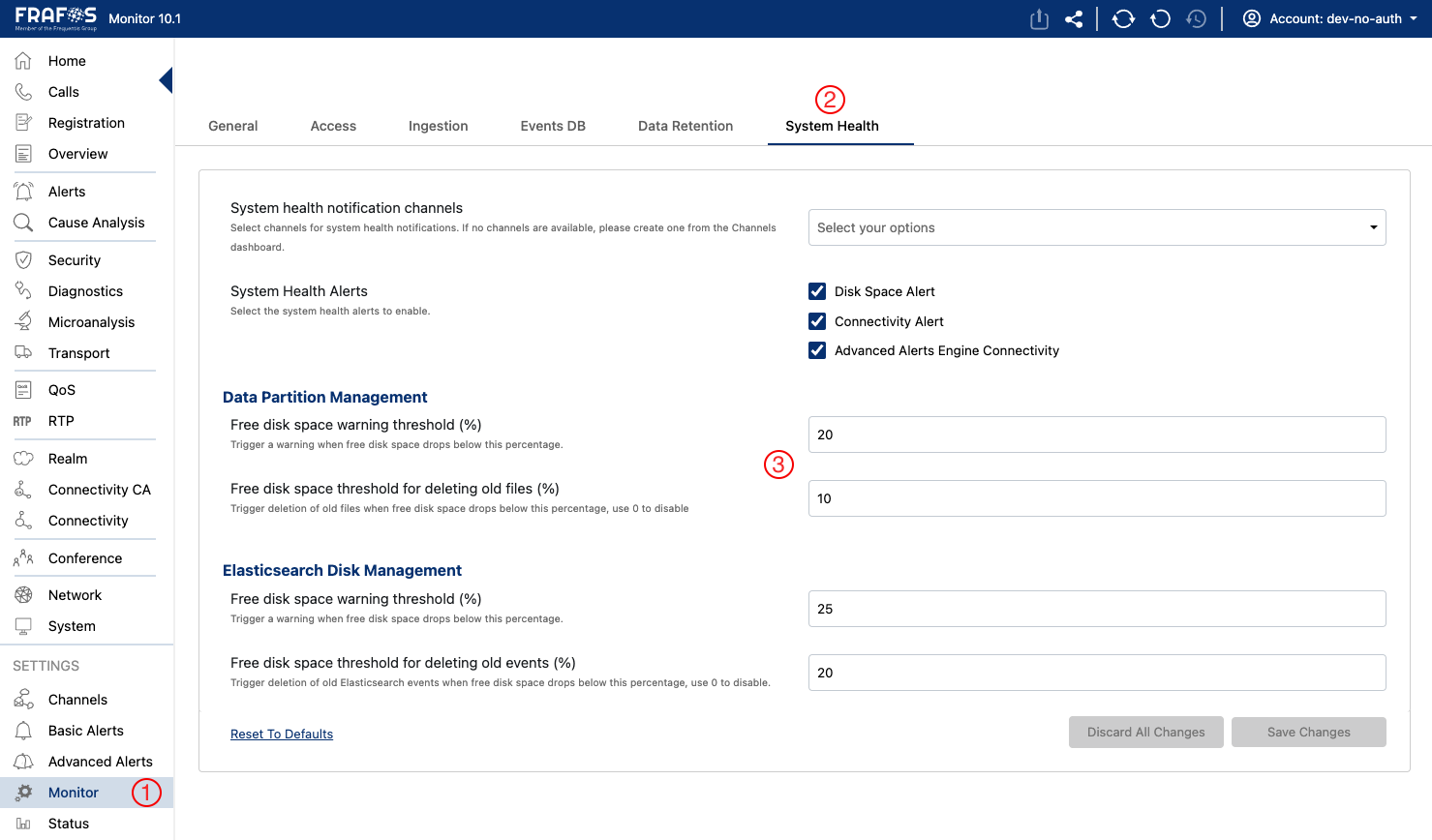
- Go to Settings > Monitor Jobs
- Click on System Health tab
- Under Data Partition Disk Management section you can change:
- warning threshold: It tells the system to trigger a warning when free disk space drops below this percentage.
- threshold for deleting old files: It tells the system to trigger deletion of old files when free disk space drops below this percentage. Use 0 to disable
- Save changes.
Elasticsearch Disk Management
- Go to Settings > Monitor Jobs
- Click on System Health tab
- Under Elasticsearch Disk Management section you can change:
- warning threshold: It tells the system to trigger a warning when elasticsearch free disk space drops below this percentage.
- threshold for deleting old files: It tells the system to trigger deletion of old files when elasticsearch free disk space drops below this percentage. Use 0 to disable
- Save changes.